
Post-Event Report · 1 min read
Download the post-event report
Every event produces a shareable report: total raised, results by level, goal attainment, and per-guest analysis.
When the appeal is over, PledgePal turns the tally into a clean one-page report you can hand to the board, the development director, or the client the next morning. Nothing extra to set up — the report is built from the pledges you already entered.
- 1
Enter the guest count
Open the event and go to Post-event report. Enter the actual number of guests in the room. That single number unlocks the participation rate and the raised-per-guest figure — the two numbers boards ask about most.
ScreenshotGuests in the room field on the report screen
- 2
Add a note (optional)
Jot down anything worth remembering: when the match was announced, a late board gift, how the room felt. It prints at the bottom of the report.
- 3
Download it
Download PDF opens your browser's print dialog — choose “Save as PDF”. Download CSV gives you every pledge and level total as a spreadsheet for your donor database or deeper analysis.
ScreenshotDownload PDF and Download CSV buttons
- 4
What's in the report
Total raised with a clear pledged + match breakdown, number of pledges, guests in the room, FAN, Paddle Sweep and Combined participation, raised per guest, average, median and largest gift, goal attainment against Basic, Stretch and Dream, a full results-by-level table, matching challenge results, and the pace of the appeal from first pledge to last.
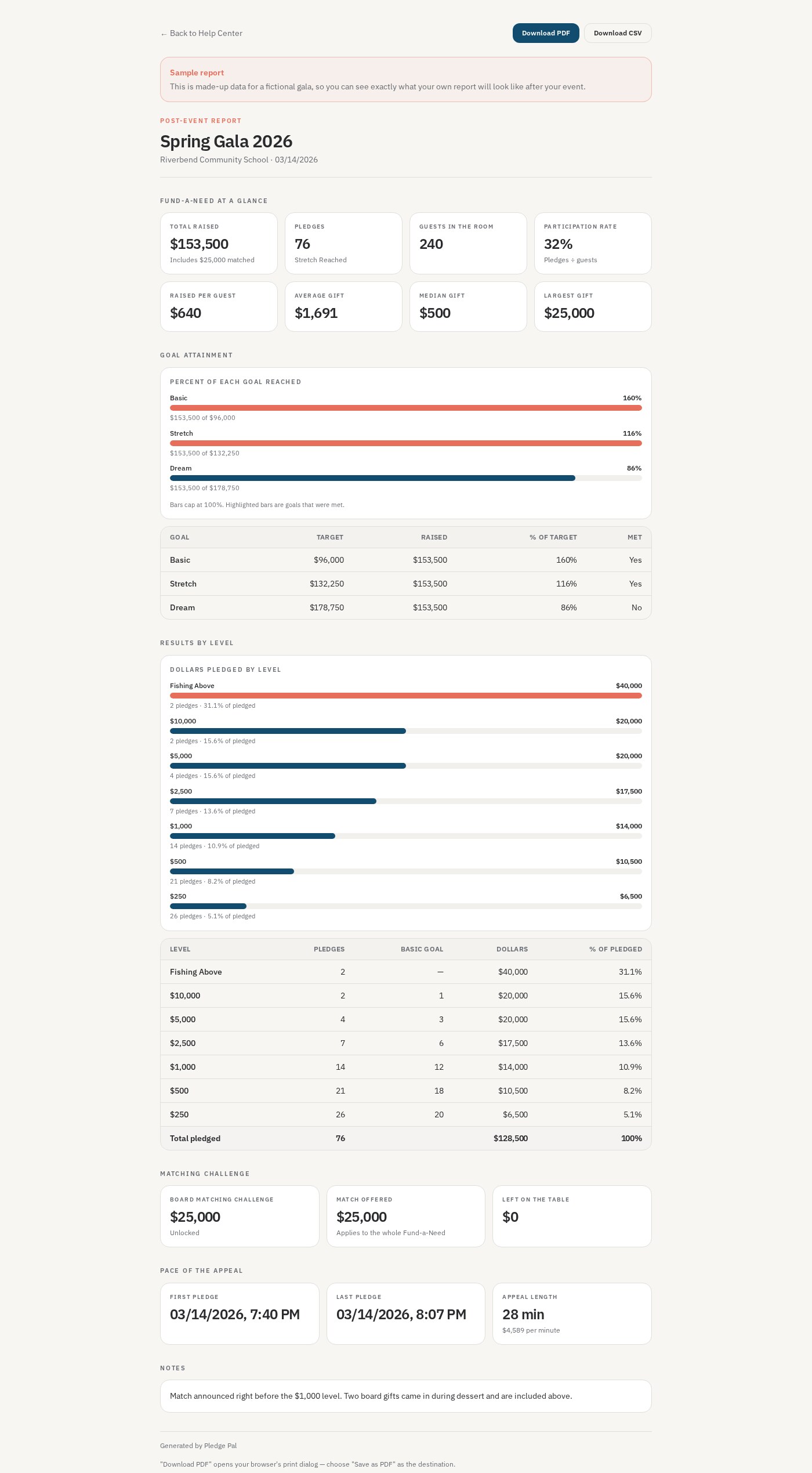
See a full sample report
Open a complete report built from a fictional gala — same layout you'll get after your own event.
View the sample reportGood to know
- Set the actual appeal duration on the report — PledgePal suggests one from the pledge burst, and you can click Use suggestion.
- Use Reassign / remove… in the gift timeline to move a gift that was entered in the wrong place.
- If the event had a live auction, Include in report adds a Live Auction + Fund-a-Need section.
- The report stays available forever — you can come back and download it months later.
- Enter the guest count the same night while you still know it. The rest of the report fills itself in.
- Fishing Above gifts appear as their own line so the big gifts don't distort the level counts.